
It is always important to know how many products are in stock. Not only because you need to know how much of a depleted product you need to order, but also to understand the total value of your stock. This article will provide clear instructions to determine what the value of your stock is.
Before you start
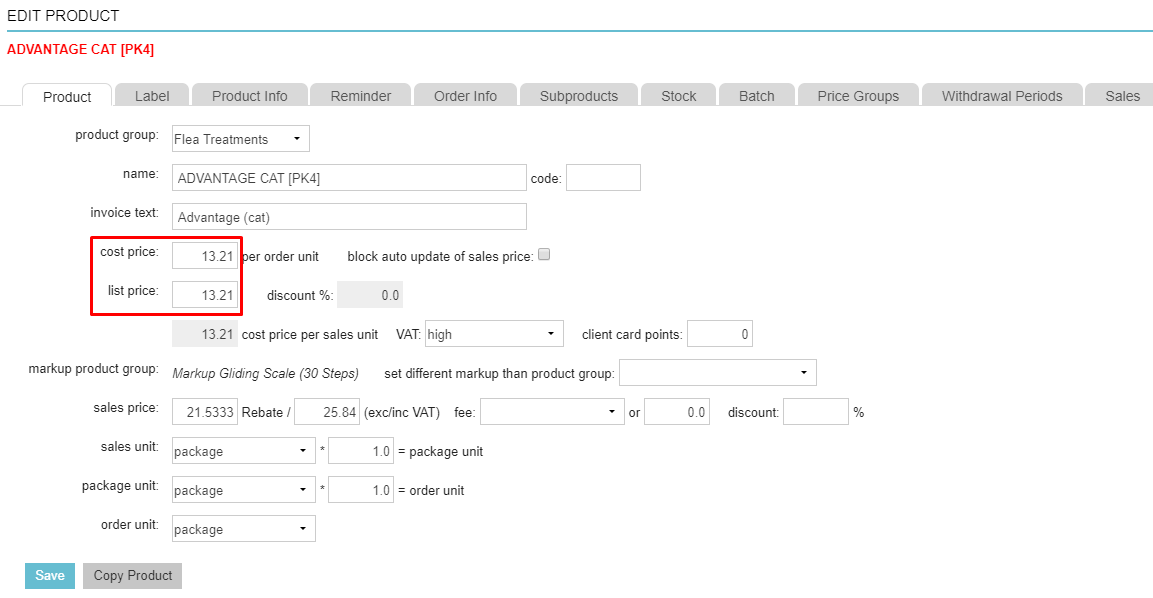
The value of your stock can only be determined if the “cost price” and “list price” have been entered (in Extra > Products > Products > open a product by clicking it):
Step-by-step instructions
- Go to Extra > Stock > Stock List.
- At the top, click the button Export.
- In the next screen, select Excel (.xlsx) as the format preference for your data export.
- Select the Stock count report from the list of default reports.
- Click Export Excel.
- The file will be exported to your Downloads folder on your computer.
- Open the export stock count report in Excel. You will see a list of your products. Scroll to the right to see their value.
- Click Enable editing at the top, if prompted.

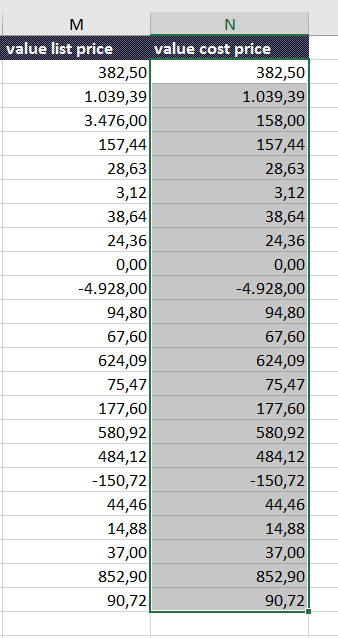
- Select all the products in the column “value list price” or the column “value cost price”.
This is box title-
- List price = the price from your wholesalers’ price list (catalogue price).
- Cost price = the value of the List price minus the purchase discount you might have agreed upon; it is the price you actually paid your wholesaler.
-
- Hold your left mouse button until the bottom of the column and all products are selected. They all should appear in grey except the first one you selected.
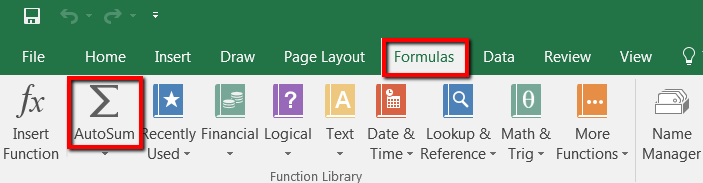
- Once you have selected all your products in one of the abovementioned columns, open the menu option Formulas at the top and click on AutoSum.
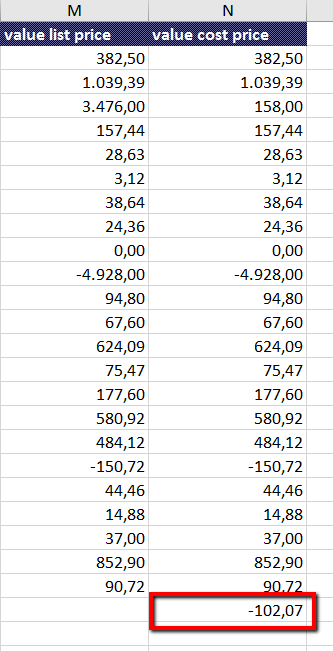
- The value of the stock appears underneath the last amount in the column.
More about this
Where can I view the stock mutations?
From Extra > Stock > Stock List you can click  to go to the Stock List History page for this product. This page will show when there was a change in the stock quantity of this product, which batch it refers to, who made change, what the reason was for the change, and whether the product was incoming or outgoing.
The rolling total should match the number in the “in stock” field in your Stock List.