
This article will explain how you can login to Animana.
Step-by-step instructions
Option 1: Log in with Animana credentials
- Go to https://login.animana.com
Alternatively, you can use your clinic specific URL; https://[accountname].animana.com. Your account name is your Animana user name, without the number. E.g. the account name for user animanavets12 is animanavets. - Click the button Sign in with Animana account.
- Enter your Animana username.
- Enter your password.
This is box titleDid you forget your username or password? See the related articles. - Click Sign in with Animana account.
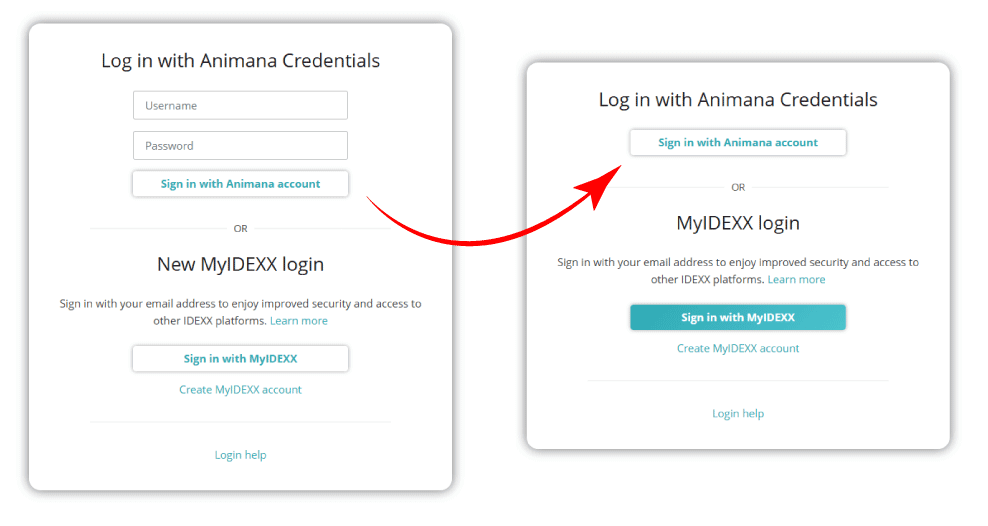
If you want to be prepared for the e-mail based login method, you can start by creating a MyIDEXX account. See the related articles below for more information.
Option 2: Log in with MyIDEXX
Don’t have a MyIDEXX account yet? There’s an article in the related articles below that explains how to create a MyIDEXX account.
- Go to https://login.animana.com
- Click the button Sign in with MyIDEXX.
- Enter your email address. This would be your authentication email address.
- Click Continue.
- Enter your password.
This is box titleDid you forget your authentication email address or your password? See the related articles below. - Click Sign in.
- Do you have access to multiple Animana accounts? Then select the account you want to log in to. You can use the search field at the top of the list if needed.
- Do you have multiple Animana profiles? Then select the user profile you want to use to log in. You can use the search field at the top of the list if needed.
- Does your practice have multiple locations? Then select the location you want to log in. You can use the search field at the top of the list if needed.